 By Thezoqo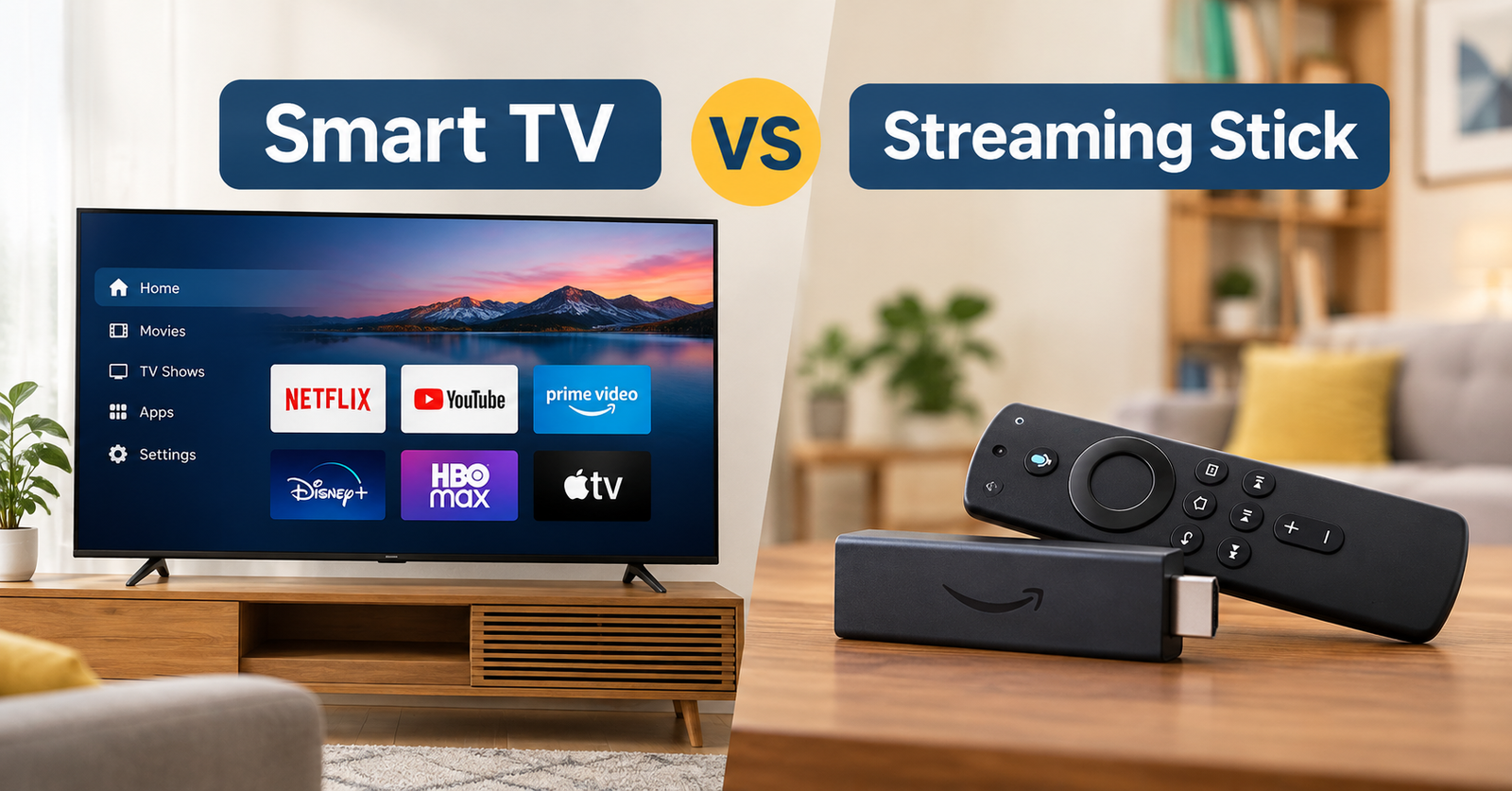
In the modern era of digital home entertainment, accessing your favorite movies, sports events, and streaming series has never been easier. However, choosing the right physical setup often leads consumers into a common dilemma: the Smart TV vs streaming stick debate. Should you rely solely on the built-in operating system that comes pre-installed on your television, or should you plug a dedicated media streaming stick into your display’s HDMI port?
Understanding the functional differences in the Smart TV vs streaming stick comparison requires analyzing hardware processing power, software update lifecycles, user interface flexibility, and long-term financial value. While a smart TV offers an all-in-one out-of-the-box solution, a standalone streaming device gives you modular freedom and frequent feature upgrades without forcing you to replace your display.
Exploring the history and technology of home television shows how broadcast displays evolved from passive monitors into interactive multimedia hubs. In this detailed breakdown, we examine every aspect of the Smart TV vs streaming stick comparison so you can configure the perfect home theater experience.
Core Hardware Differences and Processing Performance
At first glance, a smart TV and a dedicated streaming device perform the exact same core duty: rendering streaming video apps like Netflix, YouTube, and Prime Video. However, the internal hardware architecture driving these two options differs significantly, which directly impacts your day-to-day viewing experience.
- Dedicated Processor Power: Streaming sticks like the Amazon Fire TV Stick 4K Max, Roku Streaming Stick, or Google TV HD devices pack fast microprocessors designed specifically to execute operating systems smoothly. In contrast, budget and mid-range smart TVs often allocate most of their processing power to display color processing and picture upscaling, leaving limited resources for software navigation.
- Interface Responsiveness: When comparing Smart TV vs streaming stick performance, external dongles usually offer faster app launch times, smoother menu scrolling, and less input lag when moving between menus.
- Thermal Management: Compact smart TV chassis house power supplies, panel backlights, and processing boards together, which can cause thermal throttling over prolonged use. Streaming sticks plug directly into external HDMI ports, allowing better heat dissipation.
- Memory and App Storage: Dedicated media dongles typically offer dedicated internal storage space for dozens of applications and games, whereas lower-cost smart TVs often feature restrictive internal memory limits that prevent installing large app libraries.
Operating Systems, App Ecosystems, and Software Support
Software longevity plays a massive role in deciding the winner of the Smart TV vs streaming stick face-off. The operating system running on your device dictates which streaming services you can access, how often you receive security patches, and how long your setup remains functional.
- Platform Neutrality and App Libraries: Dedicated platforms like Roku, Google TV, and Amazon Fire OS maintain extensive global app ecosystems. Proprietary smart TV operating systems (such as LG webOS or Samsung Tizen) support major mainstream platforms but occasionally lack niche regional channels, specialized sports apps, or cloud gaming platforms.
- Software Update Lifecycles: Major tech companies continuously push software updates to their streaming dongles for many years after release. Smart TV manufacturers, on the other hand, frequently stop issuing OS upgrades for older television models after two to three years, causing built-in apps to slowly become obsolete or lose functionality over time.
- User Experience and Customization: External media sticks allow you to reorder app icons, customize home screens, and set up personalized profile recommendations effortlessly. Some built-in TV platforms present busy home screens filled with sponsored ad banners and auto-playing trailers that slow down navigation.
- Smarter Ecosystem Integration: Streaming sticks integrate seamlessly with voice assistants like Google Assistant, Alexa, and Apple AirPlay, letting you cast content straight from your smartphone or tablet with minimal setup friction.
For additional tech comparisons, home entertainment guides, and lifestyle tips, explore the curated resources available at thezoqo.
Ease of Use, Cable Setup, and Remote Control Convenience
While external streaming hardware offers undeniable performance perks, convenience remains a strong selling point for all-in-one displays. Evaluating daily usability helps determine whether a standalone unit fits your lifestyle.
- Single Remote Simplicity: A smart TV works using one dedicated remote control for power, volume adjustment, channel changing, and app navigation. Relying on an external dongle can occasionally require managing two remotes or configuring HDMI-CEC features to sync volume and power commands correctly.
- Cable-Free Aesthetics: A smart TV requires only a single power cord plugged into the wall, keeping your wall-mounted setup completely clean and clutter-free. A streaming stick plugs into an HDMI port and requires an additional USB power cable, which might dangle behind the screen if your TV lacks a powered USB port.
- Input Switching Convenience: Built-in smart platforms boot up directly to your home dashboard the second you turn on the screen. Using an external device requires selecting the correct HDMI input channel, which can present a slight learning curve for children or elderly family members.
- Portability Advantages: A major victory in the Smart TV vs streaming stick comparison goes to the stick’s incredible portability. You can unplug a pocket-sized streaming stick, slip it into a bag, and plug it into hotel TVs, vacation rentals, or a friend’s monitor while retaining all your saved logins, watch histories, and preference settings.
Cost Efficiency and Long-Term Value Assessment
Analyzing the financial aspect of the Smart TV vs streaming stick debate involves looking beyond the initial purchase price to consider long-term upgrade cycles and overall hardware longevity.
- Modular Upgrade Economics: Display technology (4K resolution, OLED, or QLED panels) evolves much slower than streaming software. A high-quality 4K television panel can easily last 7 to 10 years, whereas built-in smart TV software often feels sluggish within 3 years. Buying an inexpensive $30 to $50 streaming stick every few years breathes brand-new life into an existing display without forcing you to buy an expensive new television.
- Initial Purchase Costs: Virtually all modern televisions sold today come equipped with smart features by default.You do not necessarily pay a massive premium for smart capabilities when buying a new display, meaning you can test the built-in operating system first before deciding to spend extra money on a separate dongle.
- Second-Life Utility for Older Displays: An affordable streaming stick can instantly convert an older, non-smart computer monitor, projector, or basic flat-screen TV into a fully functional, high-definition entertainment system.
Frequently Asked Questions
Do I need a streaming stick if I already have a smart TV?
Not necessarily! If your current smart TV operates smoothly, supports all the streaming apps you use regularly, and receives ongoing software updates, there is no urgent need to purchase a separate streaming stick. However, if your TV interface feels sluggish, freezes, or lacks specific apps, adding an external stick is a budget-friendly fix.
Will a 4K streaming stick work on a regular 1080p HDTV?
Yes, a 4K streaming stick will work on a 1080p Full HD television. The streaming stick will automatically detect the display’s maximum supported resolution and output video at 1080p without any issues.
Do streaming sticks require a monthly subscription fee?
No, buying a streaming stick involves a one-time hardware cost. Operating systems like Roku, Fire TV, and Google TV are free to use, though you will still need active paid subscriptions for premium services like Netflix, Hulu, Disney+, or Prime Video.
Can I control a streaming stick using my regular TV remote?
In many cases, yes! Most modern televisions and streaming sticks support HDMI-CEC (Consumer Electronics Control) technology, which allows your primary TV remote to navigate menus and control playback on the connected streaming stick.
Conclusion: Making the Right Choice for Your Entertainment Setup
When settling the Smart TV vs streaming stick question, the ideal choice comes down to your personal priorities regarding speed, simplicity, and long-term flexibility.
If you value a clean, single-remote setup with no extra wires hanging behind your display, relying on your smart TV’s built-in platform provides a simple out-of-the-box solution. However, if you want lightning-fast menu speeds, frequent software updates, access to broader app libraries, and the freedom to upgrade your streaming experience without buying a new screen, investing in a dedicated streaming stick delivers superior performance and unbeatable value.
Assess your current television’s performance today, test its built-in platform, and decide whether a simple plug-and-play streaming stick is the upgrade your living room needs!
Smart TV vs Streaming Stick – Which One Should You Buy
This video provides a detailed video comparison breaking down performance, app support, and value between built-in smart TV interfaces and external streaming devices to help you pick the best setup.
Теплый пол на электричестве — удобный вариант обогрева для дома, квартиры и офиса. Он быстро прогревает помещение, экономит энергию и легко монтируется под плитку, ламинат и линолеум. Ищете электриеский теплый пол купить недорого? Выбрать нагревательные маты и кабель по выгодной цене можно на сайте теплый-пол-электрический-купить.рф с доставкой по всей России. Вся продукция сертифицирована и имеет гарантию производителя.
As a Brazilian player I really appreciate how tailored this platform feels to our community. Everything is easy to navigate in our local language and the payment options match what we actually use here. A solid choice for weekend fun. mgmbetbrasil