 By Thezoqo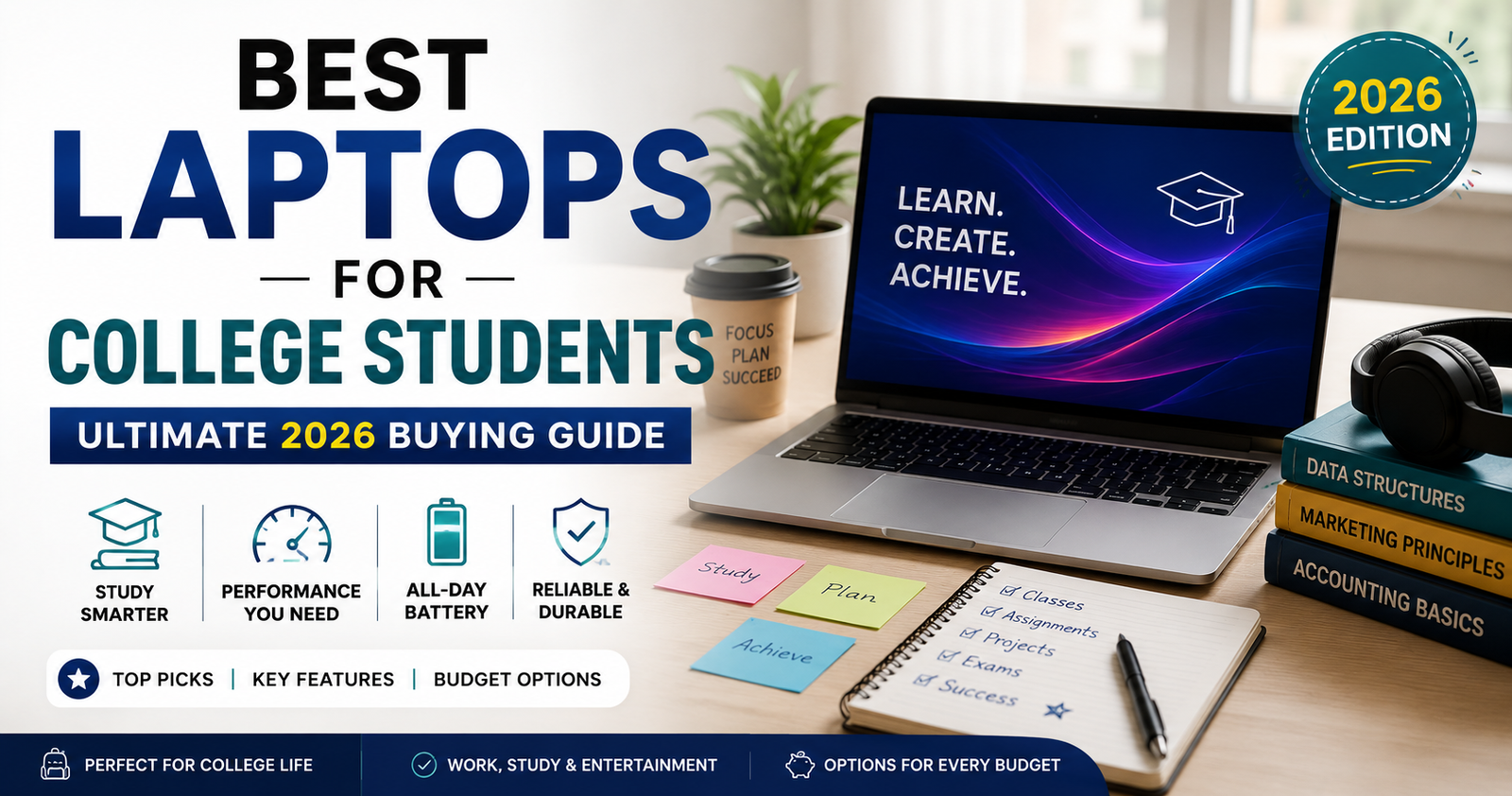
Heading off to college requires preparation, and securing the right technology is at the top of the list. From taking notes in packed lecture halls to writing late-night research papers, editing high-resolution video projects, or joining virtual study groups, your laptop serves as the central hub of your academic life.
However, finding the best laptops for college students is far from a one-size-fits-all mission. A computer science student running virtual environments needs vastly different processing power and memory than a graphic design student relying on color-accurate displays, or an English major prioritizing an ultra-lightweight frame and all-day battery life.
Navigating specs, operating systems, processor types, and battery ratings can feel overwhelming when balancing a student budget.
Why Choosing the Right College Laptop Matters
A laptop is no longer just an optional accessory for higher education; it is a mandatory tool for almost every course curriculum.
Selecting a device that does not align with your daily workload leads to constant frustration. A machine that is too heavy becomes a physical burden to carry across campus, while a laptop with weak battery life leaves you scrambling for scarce wall outlets in the library. Conversely, overspending on top-tier specifications you will never use drains valuable funds that could go toward tuition, textbooks, or room and board.
Investing time into identifying the best laptops for college students tailored to your specific major ensures you get the ideal balance of performance, portability, durability, and value.
Core Factors to Consider Before Buying
To narrow down your options, focus on these essential hardware categories before making a final purchase decision.
1. Operating System: macOS, Windows, or ChromeOS
- macOS: Known for extraordinary power efficiency, sleek aluminum builds, seamless integration with iPhones, and long-term resale value. Ideal for creative arts, humanities, and general productivity.
- Windows 11: Offers the widest compatibility across engineering software, specialized academic applications, and PC gaming. Available across every price point and form factor.
- ChromeOS: Highly affordable and lightweight, perfect for web-based research, Google Docs, and basic tasks. Best suited for budget-conscious students with light computing demands.
2. Display Size and Weight
Portability is paramount when commuting between classes.
- 13-inch to 14-inch: The absolute sweet spot for most students. Weighing between 2.2 and 3 pounds, these laptops fit easily into backpacks and small lecture desk trays.
- 15-inch to 16-inch: Ideal for students needing split-screen multitasking, timeline video editing, or CAD drafting. Expect slightly more weight (around 3.5 to 4.5 pounds).
3. Battery Life
Look for a laptop rated for at least 10 to 12 hours of real-world use. ARM-based chips (such as Apple Silicon or Snapdragon X platforms) easily provide multi-day battery endurance, letting you leave your power brick back in your dorm room.
4. RAM (Memory) and Storage
- RAM: 16GB is the recommended baseline for future-proofing your workflow. While 8GB can suffice for basic web browsing and document editing, it will struggle under heavy multitasking.
- Storage: Aim for a minimum of 512GB Solid State Drive (SSD) storage. SSDs offer blazing-fast boot times and quick app loading compared to traditional hard drives.
Understanding the fundamental hardware architecture of a modern portable laptop helps clarify how processor efficiency directly impacts daily performance and thermal management.
Top Picks: The Best Laptops for College Students
Here is an in-depth breakdown of the leading laptops available today, categorized by their primary strengths on campus.
1. Apple MacBook Air 13-Inch: Best Overall Laptop for Most Students
- Key Specs: Apple M-Series Chip, 13.6-inch Liquid Retina Display, up to 18 hours battery life, 2.7 lbs.
- Why It Wins: The MacBook Air remains the undisputed default recommendation when searching for the best laptops for college students. Its fanless design means it runs completely silent during quiet library study sessions. The all-aluminum chassis handles everyday wear and tear effortlessly, while the glass trackpad and backlit Magic Keyboard deliver a top-tier typing experience.
- Best For: Humanities, business, social sciences, media communications, and general productivity.
2. HP OmniBook 5 14: Best Windows Ultraportable for Battery Life
- Key Specs: Snapdragon X Processor, 14-inch OLED Display, up to 34 hours battery life, ultra-thin metal chassis.
- Why It Wins: The HP OmniBook 5 14 changes the game for Windows users who envy MacBook battery efficiency. Powered by ARM architecture, this machine delivers astounding battery endurance alongside a rich, vibrant OLED display. It handles web research, heavy spreadsheet calculations, and video streaming without breaking a sweat.
- Best For: Students who spend long days on campus away from wall outlets and prefer the Windows ecosystem.
3. Dell XPS 13: Best Budget-Friendly Premium Windows Laptop
- Key Specs: Intel Core Ultra / Core Processor, 13.4-inch Touch Screen Display, lightweight aluminum design.
- Why It Wins: Dell’s iconic XPS lineup brings premium metal craftsmanship, sharp displays, and sleek aesthetics into an accessible price bracket. It provides excellent quad-speaker audio, smooth performance for everyday schoolwork, and an exceptionally small desk footprint.
- Best For: Students seeking a stylish, compact Windows laptop for taking notes, writing papers, and casual entertainment.
4. Lenovo ThinkPad X1 Carbon: Best Business & Coding Laptop
- Key Specs: Intel Core Ultra Processor, 14-inch Display, legendary spill-resistant keyboard, military-grade durability.
- Why It Wins: Built like a tank yet weighing just over 2 pounds, the ThinkPad X1 Carbon is an absolute productivity powerhouse. Its tactile keyboard is widely considered the best in the industry, making long coding sessions or essay marathons comfortable. It also offers a comprehensive selection of built-in ports, eliminating the need to carry dongles.
- Best For: Computer science majors, engineering students, and future business executives.
5. Acer Nitro V 16S AI: Best Value Laptop for STEM & Gaming
- Key Specs: AMD Ryzen Processor, Dedicated NVIDIA GeForce RTX 50-Series GPU, 16-inch high-refresh-rate display.
- Why It Wins: If your coursework requires heavy 3D modeling, video rendering, or data crunching—or if you want to play modern games after class—integrated graphics won’t cut it. The Acer Nitro V packs a dedicated graphics card at a reasonable price, giving you true desktop-class performance in a portable chassis.
- Best For: Engineering, 3D animation, game development, and gaming enthusiasts.
For helpful technology insights, lifestyle guides, and smart buying tips across various tech categories, explore the articles available at thezoqo.
Laptop Requirements by College Major
Different academic paths place vastly different demands on your hardware. Use these guidelines to align your purchase with your field of study:
Engineering & Computer Science
- Priority Specs: Powerful multi-core CPU, minimum 16GB (preferably 32GB) RAM, 512GB+ SSD, Windows OS (due to specific CAD and compiler tool compatibility).
- Why: Running virtual machines, compiling code, and executing 3D CAD modeling software like SolidWorks requires high processing headroom.
Graphic Design, Film, & Architecture
- Priority Specs: Dedicated GPU, color-accurate screen (100% sRGB or DCI-P3), fast multi-core processor, 16GB to 32GB RAM.
- Why: Rendering high-definition video files, working in Adobe Creative Cloud, and editing complex vector graphics demand strong graphics processing and vibrant screen accuracy.
Business, Finance, & Data Analytics
- Priority Specs: Comfortable keyboard, long battery life, 16GB RAM, clear webcam for virtual meetings.
- Why: Heavy Excel modeling, data visualization tools, presentation design, and group video calls require reliable multitasking stability rather than raw graphical horsepower.
Humanities, Journalism, & Social Sciences
- Priority Specs: Lightweight build (under 3 lbs), 10+ hour battery life, 8GB to 16GB RAM, comfortable typing deck.
- Why: Your primary tasks will involve heavy reading, note-taking, draft writing, and web research. Portability and battery longevity take precedence over raw speed.
Must-Have Accessories for Your College Setup
Pairing your laptop with a few key peripherals transforms a simple portable computer into a highly productive study station.
- Protective Laptop Sleeve or Padded Backpack: Safeguards your investment from accidental drops, liquid spills, and crushed corners inside crowded bags.
- Compact USB-C Hub / Dongle: Expands your laptop’s connectivity with extra USB-A ports, HDMI outputs for dorm monitors, and SD card slots for photo transfers.
- External Portable SSD: Provides quick plug-and-play backups for important assignments, project files, and media libraries.
- Ergonomic Wireless Mouse: Improves navigation speed and reduces wrist strain during extended research and essay writing sessions.
- Noise-Canceling Headphones: Essential for blocking out dorm room distractions and focusing during study sessions in noisy environments.
How to Get the Best Student Discounts
Laptops are a significant investment, but students have access to unique cost-saving opportunities.
- Apple Education Store: Offers year-round discounts for enrolled students and educators, often bundled with gift cards or discounted AppleCare+ during back-to-school promotional periods.
- Dell & HP Student Savings: Registering with a valid university email address (.edu) unlocks exclusive promo codes and instant instant cashback deals.
- Retailer Student Hubs: Major electronics retailers offer dedicated student deal portals featuring instant savings on select laptops and bundles.
- Refurbished Official Outlets: Buying certified refurbished laptops directly from manufacturers (like Apple Certified Refurbished or Dell Outlet) can save 15% to 30% while securing full warranty coverage.
Essential Tips to Extend Your Laptop’s Lifespan
Once you purchase one of the best laptops for college students, taking simple preventative steps ensures it lasts through your entire four-year degree.
- Manage Battery Health: Avoid keeping your laptop plugged into the charger 24/7. Enable built-in smart charging features (like optimized battery charging) to limit maximum capacity to 80% when plugged in continuously.
- Keep Air Vents Clear: Avoid using your laptop directly on soft surfaces like beds, blankets, or pillows, which block cooling vents and cause heat buildup. Use a hard desk surface or lap desk instead.
- Maintain Clean Software: Regularly delete temporary files, uninstall unused applications, and keep your operating system updated with the latest security patches.
- Perform Weekly Backups: Enable automatic cloud backup services (such as Google Drive, OneDrive, or iCloud) so your coursework is never lost if your hardware experiences an unexpected issue.
Frequently Asked Questions (FAQs)
Is 8GB of RAM enough for a college laptop?
While 8GB of RAM can handle basic tasks like web browsing, writing papers, and streaming video, it quickly runs into performance bottlenecks when multitasking with dozens of browser tabs open. Choosing 16GB of RAM is strongly recommended for smoother performance and long-term future-proofing.
Should I buy a 2-in-1 convertible laptop for college?
A 2-in-1 touchscreen laptop (which folds into a tablet) is fantastic if you prefer hand-writing notes with a stylus, drawing diagrams, or marking up PDFs during lectures. However, if you primarily type essays and format spreadsheets, a traditional clamshell laptop often provides a sturdier keyboard deck and better value for your money.
How long should a good college laptop last?
A quality modern laptop should easily last between 4 to 5 years with proper care, successfully taking you from your freshman year through graduation. Buying a machine with a fast processor and 16GB of RAM helps prevent slowdowns as software demands increase over time.
Can I use a Chromebook for my entire college degree?
A Chromebook works well for majors focused primarily on web browsing, cloud docs, and light reading. However, many college departments require desktop applications (like Microsoft Excel macros, Adobe Creative Cloud, or coding environments) that are not compatible with ChromeOS, so check your university’s software requirements first.
Final Thoughts: Making Your Decision
Finding the best laptops for college students comes down to balancing your major’s technical requirements, your daily mobility needs, and your budget.
If you prioritize long battery life, premium build quality, and effortless daily performance, an ultraportable like the Apple MacBook Air or HP OmniBook 5 14 is hard to beat. For specialized STEM disciplines or creative work, opting for expanded RAM and dedicated graphics cards ensures your hardware keeps up with your ambitions.
Take advantage of student discounts, invest in a protective sleeve, and choose a laptop that lets you focus on what matters most: thriving in your academic journey!
Check out this Best Laptops for Students Guide for hands-on comparisons and real-world testing of popular laptop options.
Gemini обновления ChatGPT
Образовательная платформа ИИ курсы ИИ