 By Thezoqo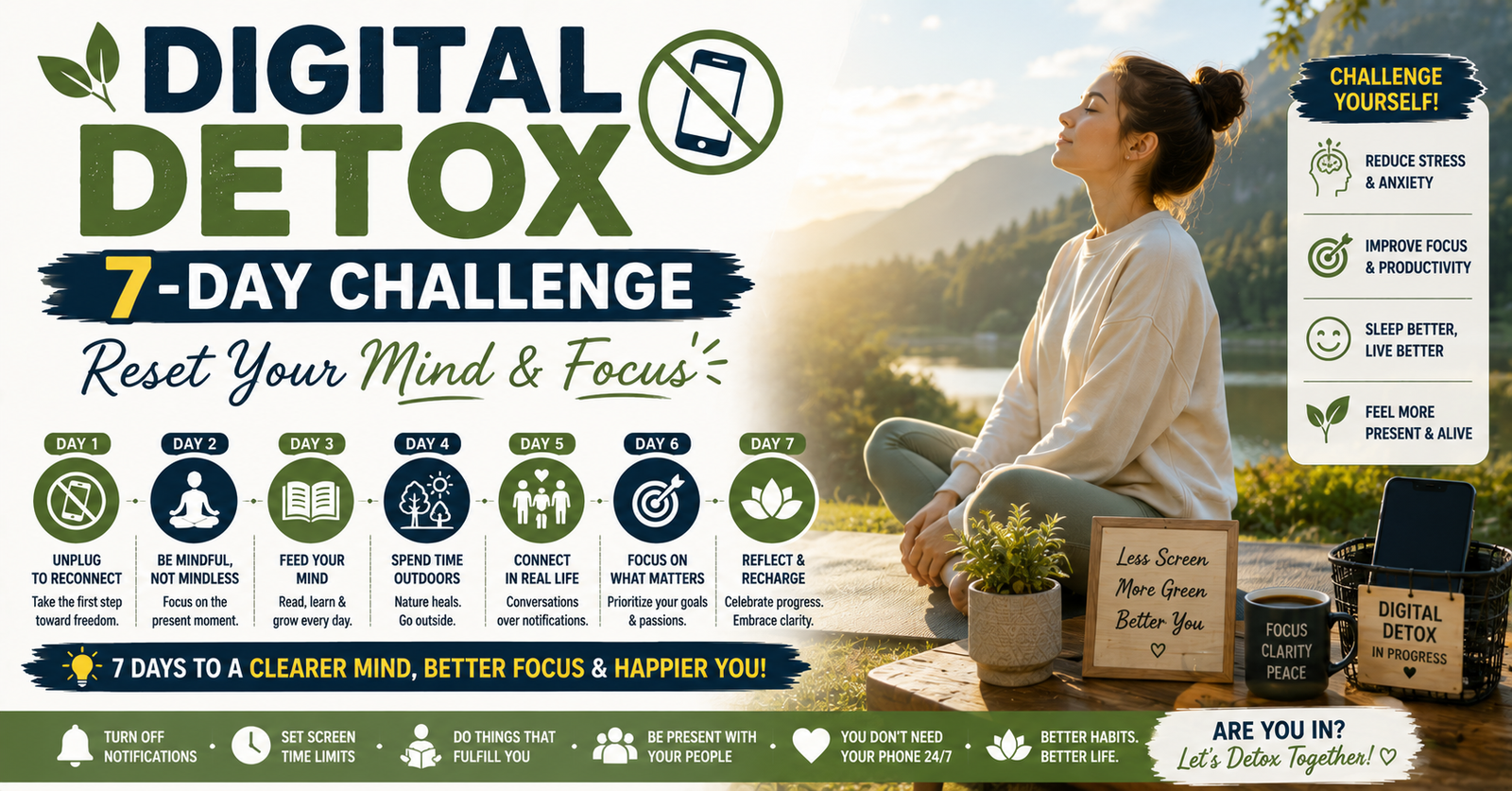
Taking a structured digital detox 7-day challenge is one of the most effective, accessible ways to break the habit of impulsive checking and regain control of your attention. Over the course of just seven days, this targeted reset helps you recalibrate your relationship with technology without forcing you to abandon necessary work or essential communications.
Have you ever picked up your phone to check a single notification, only to realize an hour later that you have been endlessly scrolling through social media? You are far from alone. In our hyper-connected world, smart devices, notifications, and algorithm-driven feeds constant compete for our attention. While technology connects us globally, continuous connectivity frequently leads to digital fatigue, brain fog, anxiety, and fragmented focus.
What Is a Digital Detox 7-Day Challenge?
A digital detox 7-day challenge is a guided, step-by-step program where you intentionally reduce, restructure, or eliminate non-essential digital consumption for one week.
Unlike extreme technology fasts that demand complete isolation from all screens, a successful digital detox 7-day challenge focuses on mindful friction. It removes low-value digital habits—like doomscrolling, late-night video binges, and constant notification checking—while retaining functional tools like navigation, essential work messaging, and emergency calls.
The Science of Why You Need a Screen Time Reset
Every time you receive a notification, like, or update, your brain receives a small surge of dopamine—a neurotransmitter associated with reward and motivation. Over time, frequent digital triggers condition your brain to seek continuous stimulation, shortening your attention span and creating compulsion loops.
Participating in a digital detox 7-day challenge allows your nervous system to rest and reset. Key physiological and psychological benefits include:
- Restored Sleep Quality: Blue light emitted by screens suppresses melatonin production. Removing screens before bed helps restore natural circadian rhythms.
- Lower Stress & Cortisol Levels: Constant alerts keep your body in a low-level “fight-or-flight” state. Cutting non-essential notifications lowers stress hormones.
- Enhanced Deep Focus: Task-switching caused by frequent phone checks fragments working memory. A week-long detox restores deep concentration capacity.
- Improved Real-World Connections: Reducing screen time creates room for meaningful, face-to-face interactions with friends and family.
Pre-Challenge Preparation: Setting Yourself Up for Success
Before starting Day 1 of your digital detox 7-day challenge, take 15 minutes to prepare your environment. Preparation removes temptation and lowers the friction needed to build better habits.
| Preparation Step | Why It Matters | Action Required |
| 1. Audit Your Screen Time | Identifies your biggest digital time-wasters | Check your phone’s built-in battery/screen settings to pinpoint problem apps. |
| 2. Notify Essential Contacts | Prevents panic and sets clear boundaries | Tell close friends, family, and colleagues you are doing a 7-day reset. |
| 3. Turn Off Non-Essential Alerts | Stops automated attention hijacking | Disable push notifications for social media, news, and games. |
| 4. Buy an Analog Alarm Clock | Keeps the phone away from your bedside table | Prevents early-morning and late-night scrolling in bed. |
| 5. Prepare Offline Alternatives | Fills reclaimed leisure hours productively | Stock up on books, journals, art supplies, or workout gear. |
The Ultimate Day-by-Day Digital Detox 7-Day Challenge
This day-by-day plan builds progressive boundaries over seven days, helping you transition smoothly into healthier digital habits without feeling overwhelmed.
Day 1: Clean Up Your Notifications & Home Screen
- The Goal: Eliminate visual clutter and constant interruptions.
- Actions for Day 1:
- Turn off all push notifications except for direct phone calls and critical messaging apps.
- Remove all social media, news, and entertainment apps from your phone’s home screen. Move them into hidden folders or access them only via browser.
- Change your phone display to Grayscale mode. Removing vibrant colors makes your screen significantly less appealing to your brain.
- Turn off all push notifications except for direct phone calls and critical messaging apps.
- Reflective Question: How many times did you unconsciously tap your phone today expecting a notification that didn’t arrive?
Day 2: Declare Screen-Free Meals & Morning Routines
- The Goal: Protect key biological transition times during your morning and meal times.
- Actions for Day 2:
- Do not check your phone for the first 30 to 60 minutes after waking up. Spend this time stretching, eating breakfast, or journaling instead.
- Keep all screens completely off during breakfast, lunch, and dinner. Focus entirely on tasting your food or engaging in conversation.
- Do not check your phone for the first 30 to 60 minutes after waking up. Spend this time stretching, eating breakfast, or journaling instead.
- Reflective Question: Did eating without a video or social media feed feel uncomfortable or refreshing?
Day 3: Establish the Evening Bedroom Sanctuary
- The Goal: Protect your sleep architecture and circadian health.
- Actions for Day 3:
- Set a firm “digital curfew” 60 minutes before bedtime. Power down laptops, tablets, and TV screens.
- Charge your smartphone outside your bedroom (or across the room out of arm’s reach).
- Replace late-night phone scrolling with reading a physical book, stretching, or listening to relaxing music.
- Set a firm “digital curfew” 60 minutes before bedtime. Power down laptops, tablets, and TV screens.
- Reflective Question: How did placing your phone out of reach affect how quickly you fell asleep?
Day 4: Take a 24-Hour Social Media Fast
- The Goal: Interrupt social comparison cycles and mindless dopamine loops.
- Actions for Day 4:
- Log out of all personal social media platforms (Instagram, TikTok, X, Facebook) for 24 full hours.
- If the urge to check social media arises, replace it with a 2-minute physical action: take deep breaths, drink a glass of water, or stretch.
- Log out of all personal social media platforms (Instagram, TikTok, X, Facebook) for 24 full hours.
- Reflective Question: What specific emotions triggered your desire to open social media throughout the day?
Day 5: Reclaim Your Micro-Moments
- The Goal: Stop using your device as an automatic reflex for brief moments of boredom.
- Actions for Day 5:
- Leave your phone in your pocket or bag whenever you are waiting—in line at the store, at a red light, or in an elevator.
- Practice observing your surroundings, people-watching, or allowing your mind to wander naturally without reaching for a digital distraction.
- Leave your phone in your pocket or bag whenever you are waiting—in line at the store, at a red light, or in an elevator.
- Reflective Question: Did allowing yourself to experience brief moments of boredom stimulate new thoughts or creative ideas?
Day 6: Embark on a High-Presence Offline Day
- The Goal: Deeply immerse yourself in physical-world activities.
- Actions for Day 6:
- Dedicate at least half of your day to completely offline pursuits: outdoor hiking, cooking a complex recipe, visiting a local museum, or hosting an in-person gathering.
- Leave your phone on “Do Not Disturb” mode inside a drawer or bag while participating in these activities.
- Dedicate at least half of your day to completely offline pursuits: outdoor hiking, cooking a complex recipe, visiting a local museum, or hosting an in-person gathering.
- Reflective Question: How did your focus and mood change when you engaged fully in an activity without taking photos or checking updates?
Day 7: Evaluate Your Experience & Establish Long-Term Habits
- The Goal: Review your progress and choose permanent screen boundaries.
- Actions for Day 7:
- Review your end-of-week screen time analytics to measure your overall time savings.
- Identify which temporary rules from this week felt most beneficial and convert them into permanent daily boundaries.
- Re-introduce necessary apps slowly, deleting any that brought no real value during your challenge week.
- Review your end-of-week screen time analytics to measure your overall time savings.
For more wellness challenges, mental clarity guides, and self-improvement strategies, visit online educational platforms like thezoqo.
Daily Offline Alternatives for Reclaimed Time
One reason people struggle with screen habits is that removing technology creates sudden empty time. Filling these newly freed hours with satisfying physical alternatives keeps your digital detox 7-day challenge rewarding and engaging.
| Reclaimed Time Window | Common Digital Habit | Healthy Offline Alternative |
| Morning (7:00 AM) | Scrolling news or social feeds in bed | Morning walk, light stretching, or journal entry |
| Lunchtime (12:30 PM) | Watching videos while eating | Eating mindfully, chatting with coworkers, or sitting outside |
| Afternoon Slump (3:30 PM) | Checking mobile games or social media | Herbal tea break, short brisk walk, or hand stretching |
| Evening (8:30 PM) | Endless TV streaming or doomscrolling | Reading physical books, board games, or learning an instrument |
How to Maintain Your Results After the Challenge Ends
Completing a digital detox 7-day challenge provides a valuable reset, but the ultimate goal is sustaining long-term balance. Here are four rules to maintain control over your technology:
- Keep Nighttime Boundaries Permanent: Never bring your phone back onto your nightstand. Keeping sleep spaces tech-free protects sleep quality indefinitely.
- Schedule Weekly Screen-Free Windows: Declare specific recurring times—like Sunday mornings or weekday dinners—as guaranteed screen-free periods.
- Use App Speed Bumps: Keep daily usage timers active on time-consuming social platforms to prevent unconscious overuse.
- Conduct Monthly Mini-Detoxes: Repeat a targeted 24-hour social media fast once every month to refresh your mental focus.
Frequently Asked Questions (FAQs)
Can I do a digital detox 7-day challenge if I work on a computer?
Yes! A digital detox 7-day challenge is designed around intentional, low-value personal screen use rather than essential work tasks. Keep your work tools functional during working hours, but apply strict boundaries during personal, morning, and evening time.
What if I experience withdrawal or anxiety during the first few days?
Experiencing mild anxiety, restlessness, or a phantom compulsion to check your phone is normal during the first 48 hours. These feelings signal that your brain is adjusting to lower dopamine levels. They typically pass by Day 3 as your mind adapts to lower stimulation.
How much screen time reduction can I expect from this challenge?
While individual results vary based on starting habits, participants who complete a digital detox 7-day challengefrequently reduce their daily non-work screen time by 40% to 60%, reclaiming 2 to 4 hours of productive personal time every single day.
Is it necessary to delete my social media accounts entirely?
No, deleting accounts permanently is rarely necessary. The goal of a detox challenge is to transform social media from an automatic compulsion into an intentional, moderated activity.
Final Thoughts on Taking the 7-Day Challenge
Taking a digital detox 7-day challenge is not about rejecting technology; it is about reclaiming control over your focus, time, and mental well-being. By creating simple boundaries around screen use for just one week, you clear away digital noise, lower stress, and build lasting habits for a more balanced life.
One thing I have been thinking about lately is how digital casino sites have developed their game selection, and asylum.run is an interesting example. Not long ago, the choice felt much smaller. Nowadays, players can find everything from table games to new releases. For me, that variety makes the experience less repetitive. It also explain why people try different sites before settling on one. While looking around, https://asylum.run/ can provide a simple sense of what is out there. Ultimately, I think selection has become an important consideration of choosing a casino platform.
Ценители кино и сериалов теперь могут забыть о долгих поисках свежих релизов. Новые хиты и любимая классика доступны на одной площадке по выгодной стоимости. Ищете купить новые сериалы? Интернет-магазин serialexpress.ru предлагает огромный каталог отечественных и зарубежных сериалов с доставкой по всей России. Покупка совершается в несколько кликов, а заказ приходит в кратчайшие сроки. Отличное качество записи и надежная упаковка обеспечены каждому клиенту.
mostbet поддержка telegram http://www.mostbet52652.shop
mostbet depozit uchun karta http://mostbet42102.help
plinko slots jackpot https://plinko20075.shop
cómo crear cuenta en pin-up cómo crear cuenta en pin-up
mostbet xatolik http://mostbet42102.help/
aviator आधिकारिक साइट भारत aviator आधिकारिक साइट भारत
plinko descargar plinko apk http://plinko20075.shop
pin-up Viña del Mar https://pinup32957.icu/
mostbet canlı bahis https://mostbet97069.shop
chicken road deposito contanti italia chicken road deposito contanti italia
Well explained and practical. I’ve had good results with Luna Lisa Alpha () for product photos and posters.. Luna Lisa Alpha
Exploring online content platforms I identified a blog with high-quality posts
where every post offers something new to learn
You can check it out here : https://ccc.activeboard.com/t73063807/when-should-students-start-preparing-for-dorm-move-out/?page=last#lastPostAnchor
This is a convenient tool for both private users and professionals working СМС онлайн
Checking out independent writers I encountered a blog with high-quality posts
that encourages critical thinking and creativity
Find more information right here : https://www.hostboard.com/forums/showthread.php?t=1232647&p=2965506#post2965506
jyxkueidukedjmmqgtpkzspjuuplko
Wander through our rich casino game catalog порно смотреть онлайн