 By Thezoqo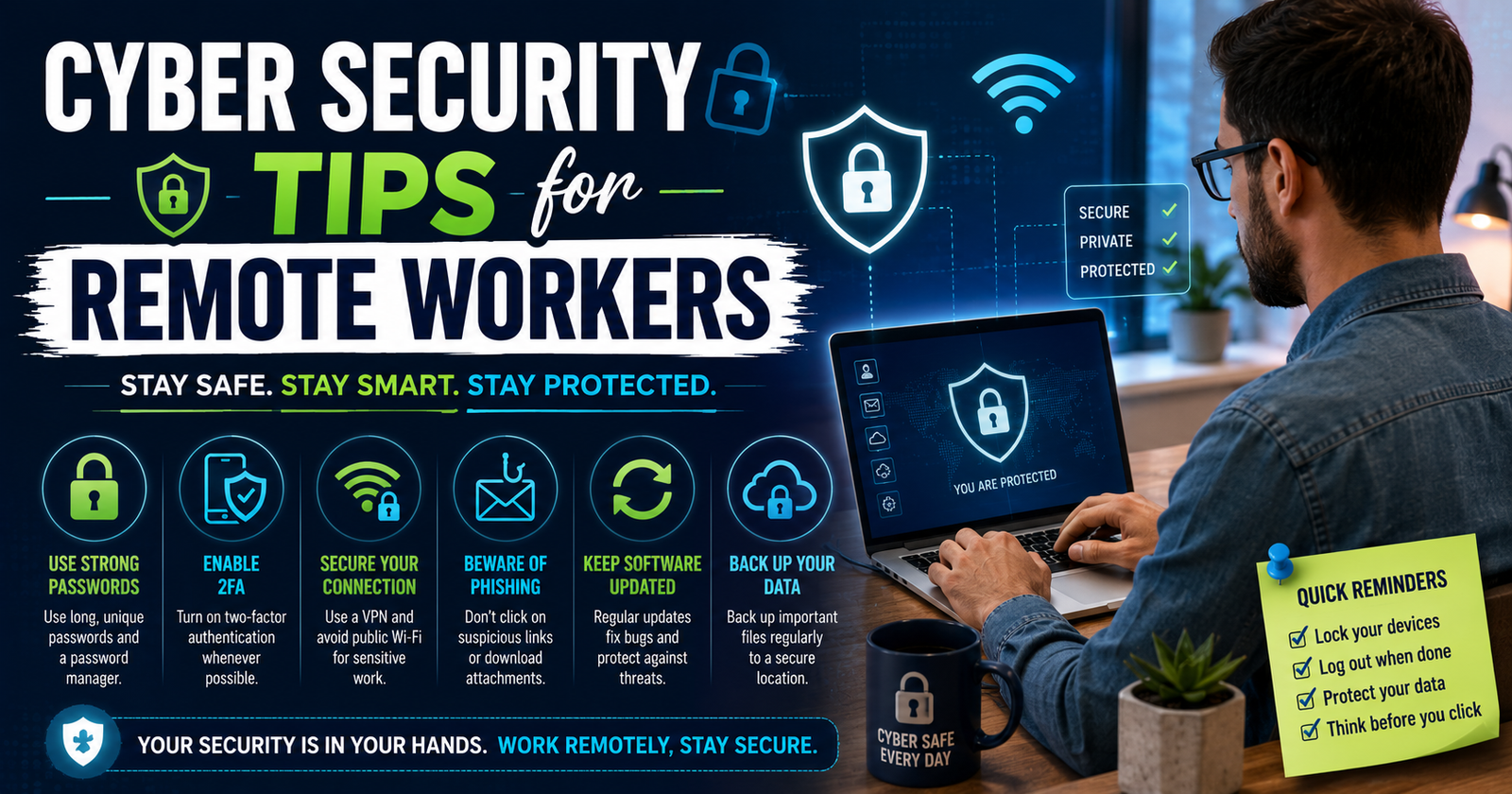
The shift toward distributed teams and flexible home offices has fundamentally transformed the modern workplace. While working from home offers unmatched flexibility, reduced commute stress, and higher job satisfaction, it also introduces significant digital risk. Distributed environments lack the corporate-grade physical security, enterprise firewalls, strict network monitoring, and direct IT oversight present in traditional corporate offices. As a result, cybercriminals increasingly target home offices as vulnerable entry points into sensitive corporate databases. Understanding effective cyber security tips for remote workers is no longer optional—it is a critical requirement for maintaining digital safety in a remote-first world.
Implementing proactive cyber security tips for remote workers helps protect personal identities, sensitive client data, financial details, and proprietary company assets. Without proper protective measures, remote environments remain vulnerable to phishing scams, credential stuffing, ransomware, unsecured Wi-Fi interception, and physical theft.
Exploring the broader history and technical framework of computer security highlights how essential structured defense measures are for safeguarding digital infrastructure across distributed networks. In this comprehensive guide, we examine the most vital cyber security tips for remote workers to keep your home office completely secured against modern threats.
The Rising Digital Threat Landscape for Distributed Teams
Understanding why home offices are targeted helps emphasize the importance of following actionable cyber security tips for remote workers. Traditional office networks rely on perimeter-based security systems, including physical security badges, intrusion detection systems, hardware firewalls, and isolated network segments. When employees transition to remote work, the corporate perimeter expands to thousands of individual residential networks.
Cybercriminals recognize that consumer-grade home routers, shared family computers, and unencrypted personal Wi-Fi networks are far easier to breach than enterprise data centers. Once an attacker gains access to a remote employee’s compromised home computer, they can hijack credentials, record keystrokes, intercept unencrypted traffic, or use remote desktop connections to pivot directly into the employer’s central database. Adopting rigorous cyber security tips for remote workers neutralizes these attack vectors before malicious actors can exploit them.
Home Network Defense: Vital Cyber Security Tips for Remote Workers
Your home Wi-Fi network serves as the primary gateway for all your professional communications, video calls, and file transfers. Securing this foundational entry point is one of the most critical cyber security tips for remote workers.
1. Upgrade Default Router Credentials Immediately
Most internet service providers issue home routers with standard factory administrative passwords and predictable network names (SSIDs). Attackers easily discover these default credentials using online databases. One of the simplest cyber security tips for remote workers is logging into your router settings page and changing the default administrative password to a complex passphrase.
2. Enable Strong WPA3 or WPA2 Network Encryption
Check your router settings to ensure your wireless network uses robust encryption protocol standards. Implementing WPA3 or WPA2 enterprise-grade encryption is one of the most effective cyber security tips for remote workers to stop local wireless eavesdropping and unauthorized network access.
3. Create a Dedicated Guest Network for Work Devices
Isolating your professional equipment from smart TVs, gaming consoles, smart speakers, and personal smartphones is essential. Following key cyber security tips for remote workers includes creating a separate guest Wi-Fi network strictly reserved for your work computer. If a smart appliance on your main network is compromised, the attacker remains isolated from your corporate laptop.
4. Keep Router Firmware Regularly Updated
Outdated router software contains unpatched system vulnerabilities that attackers exploit using automated scripts. Regularly updating router firmware stands out among critical cyber security tips for remote workers to close emerging security gaps and maintain network integrity.
5. Disable Remote Router Management Features
Router settings often include features that allow remote administration over the internet. Disabling remote management capabilities is one of the most overlooked cyber security tips for remote workers, ensuring that router settings can only be altered by someone physically connected to the network.
Device and System Security: Core Cyber Security Tips for Remote Workers
Protecting the physical and software integrity of your laptops, tablets, and mobile devices forms the second line of remote defense.
Always Route Traffic Through a Virtual Private Network (VPN)
Connecting through an enterprise VPN creates an encrypted tunnel for all your incoming and outgoing data traffic. Relying on an enterprise VPN is among the top cyber security tips for remote workers handling sensitive client information, ensuring that third parties cannot intercept confidential communications.
Enable Multi-Factor Authentication (MFA) Across All Accounts
Requiring a secondary verification code via an authenticator app blocks up to 99% of automated account takeover attempts. Enforcing MFA across email accounts, cloud storage, and internal communication tools is one of the most reliable cyber security tips for remote workers.
Install and Maintain Endpoint Antivirus Protection
Automated anti-malware scanners constantly monitor system files, incoming downloads, and background processes for suspicious behaviors. Maintaining active antivirus protection represents one of the most proven cyber security tips for remote workers preventing silent Trojan or spyware infections.
Turn On Automatic Operating System Updates
Unpatched operating systems leave known security vulnerabilities exposed to exploits. Turning on automatic software updates for Windows, macOS, Linux, and all productivity applications is among the necessary cyber security tips for remote workers maintaining system resilience.
Implement Full-Disk Device Encryption
In the event that a work laptop is lost or stolen, full-disk encryption prevents unauthorized individuals from pulling data directly off the storage drive. Enabling BitLocker on Windows or FileVault on Mac stands among mandatory cyber security tips for remote workers managing confidential files.
For insightful tech guides, workplace productivity strategies, and modern lifestyle insights, explore the helpful resources at thezoqo.
Identity, Credential, and Access Security
Strong credential management practices prevent unauthorized access to corporate cloud platforms, databases, and project management applications.
Utilize a Dedicated Business Password Manager
Reusing simple passwords across multiple platforms creates massive security risks. Utilizing a secure password manager to generate, store, and auto-fill complex, unique passwords is one of the most strongly recommended cyber security tips for remote workers.
Separate Corporate and Personal Credentials Entirely
Using your work email address or corporate password for personal shopping sites, streaming services, or online forums expands your digital attack surface. Keeping personal and professional credentials completely separate ranks among the smartest cyber security tips for remote workers.
Lock Your Screen Whenever Walking Away
Physical security matters even inside your own residence or when working from a public coffee shop. Automatically setting short screen timeout locks and pressing screen lock hotkeys is one of the easiest cyber security tips for remote workers to prevent physical tampering or accidental data leaks.
Audit Account Permissions and Authorized Sessions
Over time, users accumulate access to third-party integrations and active login sessions across multiple browsers and devices. Periodically auditing account permissions and logging out of unused sessions is one of the most practical cyber security tips for remote workers seeking to minimize credential exposure.
Threat Awareness and Communication Hygiene
Human error remains one of the primary catalysts for corporate data breaches. Staying vigilant against social engineering tactics protects organizational systems.
Recognize Sophisticated Phishing and Social Engineering
Phishing emails, SMS text scams (smishing), and voice impersonations (vishing) often mimic trusted colleagues, managers, or financial institutions. Inspecting sender email addresses carefully and verifying unusual requests via secondary communication channels are vital cyber security tips for remote workers fighting social engineering tactics.
Exercise Caution with Unsolicited Email Attachments
Opening malicious PDF files, compressed archives, or macro-enabled documents can secretly deploy ransomware across your local machine and connected cloud drives. Verifying file authenticity before opening attachments is among the most practical cyber security tips for remote workers.
Avoid Public Wi-Fi Networks Without VPN Encrypted Tunnels
Unsecured public Wi-Fi networks in airports, hotels, and cafes expose your web traffic to local packet sniffing and man-in-the-middle attacks. Using personal mobile hotspots instead of open public networks is one of the best cyber security tips for remote workers on the go.
Practice Secure Video Conferencing Habits
Uninvited guests sometimes crash open video calls to steal information or cause disruptions. Password-protecting meeting links, enabling waiting rooms, and verifying attendee identities are crucial cyber security tips for remote workersconducting sensitive virtual discussions.
Physical Security and Environmental Awareness
Digital security can easily be undermined by weak physical surroundings. Safeguarding your physical workspace is an essential layer of protection.
Prevent Shoulder Surfing in Public Environments
When working in public places, open spaces, or co-working hubs, passersby can view confidential documents on your monitor. Installing privacy screen filters is one of the most effective physical cyber security tips for remote workersworking outside the home.
Secure Physical Documents and External Media
Not all corporate data theft happens digitally. Shredding sensitive printed work notes, locking hard copies in filing cabinets, and avoiding untrusted USB flash drives are simple, effective cyber security tips for remote workersmanaging physical files.
Manage Audio Privacy During Sensitive Phone Calls
Discussing confidential customer information, business strategies, or medical data near smart home assistants or open windows poses physical privacy risks. Muting smart home microphones or using wired headsets during sensitive phone calls stands among necessary cyber security tips for remote workers.
Data Backup and Disaster Recovery Strategies
Having a resilient data recovery strategy ensures business continuity following a hardware crash, file corruption, or ransomware outbreak.
Maintain Automated, Encrypted Offsite Cloud Backups
Regularly backing up critical work files to secure corporate cloud repositories ensures data availability if your local device fails. Executing routine cloud backups is one of the most valuable cyber security tips for remote workers facing sudden malware infections or hard drive failures.
Test File Restoration Procedures Periodically
A backup is only as good as its restore process. Periodically testing data restoration procedures confirms that backup files are uncorrupted and accessible, making this one of the most proactive cyber security tips for remote workers.
Separation of Work and Personal Environments
Maintaining strict boundaries between personal digital activities and corporate equipment prevents cross-contamination of malicious files.
Avoid Using Work Laptops for Personal Browsing
Using corporate laptops for downloading personal games, visiting streaming websites, or checking personal social media introduces unvetted web risks to the enterprise device. Enforcing strict device separation is among the best cyber security tips for remote workers.
Prohibit Family Members from Using Corporate Devices
Allowing children, partners, or roommates to browse the web or play games on your work computer can lead to accidental file deletion or malware downloads. Restricting device usage exclusively to authorized employees is one of the most critical cyber security tips for remote workers.
Incident Response and IT Collaboration
Prompt communication minimizes structural damage when security anomalies occur in remote environments.
Report Suspicious Activity to IT Departments Instantly
If you suspect your device has been infected, notice unusual login attempts, or accidentally click a suspicious phishing link, notifying your IT security team immediately limits potential damage. Prompt threat reporting is one of the most responsible cyber security tips for remote workers.
Establish Alternative Offline Communication Channels
During severe security incidents or network outages, corporate email accounts may be temporarily isolated. Keeping emergency phone numbers or out-of-band communication channels saved offline represents one of the most strategic cyber security tips for remote workers.
Participate Actively in Ongoing Security Training
Cyber threats evolve constantly, requiring continuous education and adaptability. Engaging in regular cybersecurity refresher courses, mock phishing exercises, and policy reviews is one of the most forward-thinking cyber security tips for remote workers.
Building a Sustainable Remote Security Mindset
Securing a remote home office requires a balance between tight digital protection and day-to-day work efficiency. Cyber security is not a single tool or a one-time setup; it is an ongoing daily discipline. By integrating these robust defense layers into your everyday routine, you transform your home workspace from a potential security vulnerability into a fortress of digital safety.
Taking responsibility for home network encryption, device access management, physical privacy, and threat awareness ensures that your flexible work environment remains protected against evolving global cyber threats.
Frequently Asked Questions
What are the most important cyber security tips for remote workers on public Wi-Fi?
The most critical cyber security tips for remote workers using public Wi-Fi include turning on an enterprise VPN, disabling automatic file sharing, enabling system firewalls, using privacy screen covers, and opting for personal mobile hotspots instead of open networks.
How do cyber security tips for remote workers prevent phishing attacks?
Applying cyber security tips for remote workers helps prevent phishing by encouraging multi-factor authentication, careful sender email address verification, avoiding suspicious links, and never sharing credentials over unencrypted communication channels.
Why is home router security so vital for remote workers?
Home router security is essential because your router is the primary gateway to your home network. Implementing cyber security tips for remote workers like updating router firmware and disabling default administrative passwords keeps hackers from intercepting your work traffic.
Should remote workers use personal devices for company tasks?
It is strongly recommended to avoid using personal devices for official business. Following standard cyber security tips for remote workers means keeping personal and corporate activities completely separate to reduce data leak risks.
Final Thoughts: Securing Your Digital Future
Adopting these detailed cyber security tips for remote workers empowers you to work productively from anywhere without compromising sensitive corporate data or personal privacy.
By securing your router, enforcing multi-factor authentication, utilizing password managers, remaining vigilant against social engineering tactics, and separating personal and professional devices, you establish a safe, reliable, and modern home office.
Next time you log in to work remotely, review these protective steps to ensure your digital environment remains fully safe, encrypted, and secure!